
When you first enter the site, it is a view of her rather messy desk top.
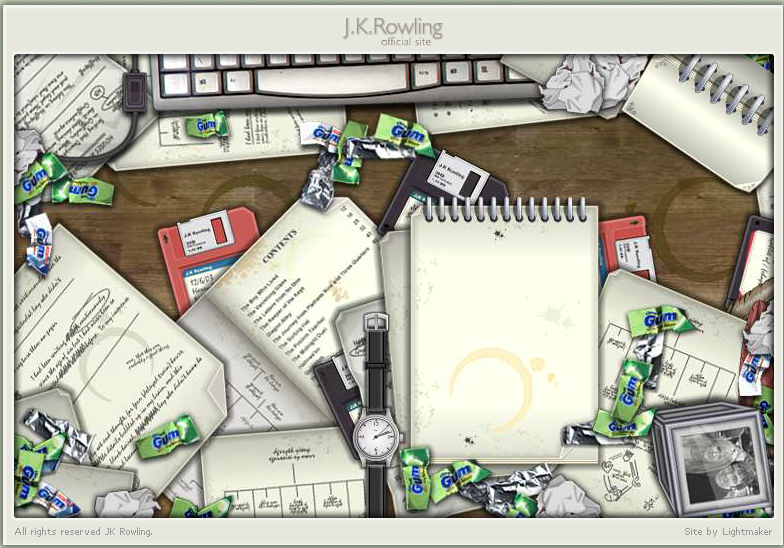
Then various items add themselves to the desk and our adventure can begin!
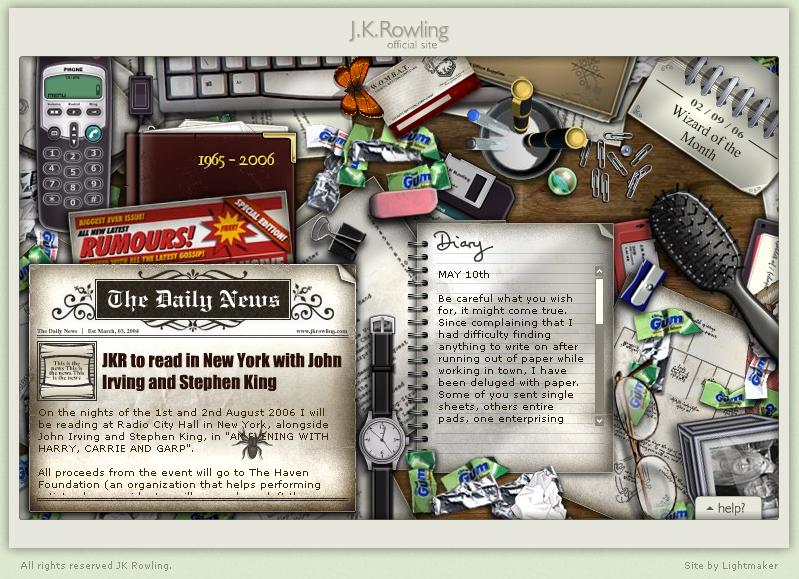
 Random household noises can be heard in the background, including passing traffic and a barking dog. See the Sounds page for detailed descriptions of what you hear as you navigate around the site.
The watch shows the current time (from your computer’s system).
A butterfly flies in and lands on the keyboard. It is orange during the day and turns brown (a moth) after dark. Tickle it with the cursor it flies off. (Before the March 9th update, it was blue.)
Next to the keyboard is a switch that turns the light off. During the day it seems to turn on a desk lamp (or the computer monitor) that shines on the cell phone.
(For other day to night changes around the site see the Day/Night changes entry.)
The keyboard is not clickable, but the cell phone is! (See Scrapbook entry here for instructions.) If the screen is left idle after several minutes the phone will ring. Click on the green “talk” button to answer it and hear a lady’s voice (Jo?) say “Hello. Hello? Is anyone there?” as the screen counts 1 to 5 seconds, then a click as it hangs up. (You may need to turn your volume up in order to hear it.)
A spider crawls onto the newspaper. Click on it and it disappears. (See the Potion recipe #1 entry to learn why.)
There are 5 Portkeys:(See the separate entries for each Portkey.)
Click on a Portkey to be transported to another room.
- a Binder Clip which takes you to the Trophy Room (formerly a gold key)
- a Hairbrush which takes you to the Bulletin Board (formerly a tea cup)
- a pair of Eyeglasses which takes you to the Bookcase (formerly a ball point pen)
- a pink Rubber Eraser which takes you to the Secret Door (formerly a navy hair elastic)
- a blue Pencil sharpener which takes you to the Rubbish Bin (formerly a gum wrapper {added Sept. 16, 2004)
In the bottom right corner of the screen is a “Help?” tab. Clicking on this tab brings up a explanation of the Portkeys and the Dark Mark spoiler warning. This tab is always there and does not change when passing between Portkey links.
On March 9, 2006 the Help menu changed to say the DarkMark spoiler warning is for Half-Blood Prince. It applied to Order of the Phoenix before this.
From the launch of the site until December 25, 2005 there was a notepad containing a Welcome message, in which she invited us all to call her Jo… and warned us to watch out for Peeves. Read an archive of this message on the Diary page.
On Dec 14, 2004 the Welcome message was edited to say book seven instead of book six.
On Christmas 2005 the notepad was replaced with the current Diary notebook, which she plans to use as a “blog” to share everyday type updates that do not qualify as real news. Read an archive of past postings on the Diary page.
Clickable desktop items: (See the separate pages for each one.)
Clicking on these items will open them in this same screen.
- “F.A.Q.“ the puddle of paperclips and a thumbtack turn into a question mark when your cursor passes over them, and becomes a link. When you click it, owl post delivers 3 pieces of mail and 2 brown feathers onto the desk. Now the paperclips form an X when the cursor touches them, and becomes an Exit link. They will stay in the question mark or X shape until you pass the cursor over them again, then they fall back to a puddle.
- “News“ newspaper called The Daily News
- “Rumours“ a tabloid
- “Biography” a journal
- “Scrapbook“
- “Wizard of the Month” calendar
- a cellphone
- a Marble
- “Diary” a notebook (scroll only)
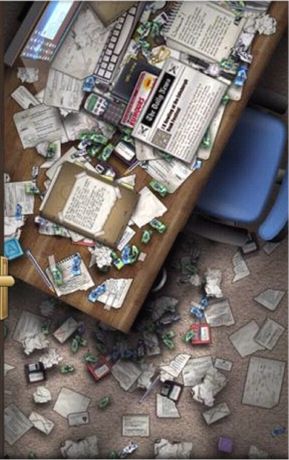
If the desktop screen is left unattended for about 5 minutes PEEVES shows up! See the Peeves’ antics page for full descriptions of all his mischief and the Watch entry for more.
original page date 5-May-2005
last page update 07-Oct-2006
JKR.com: Desktop
